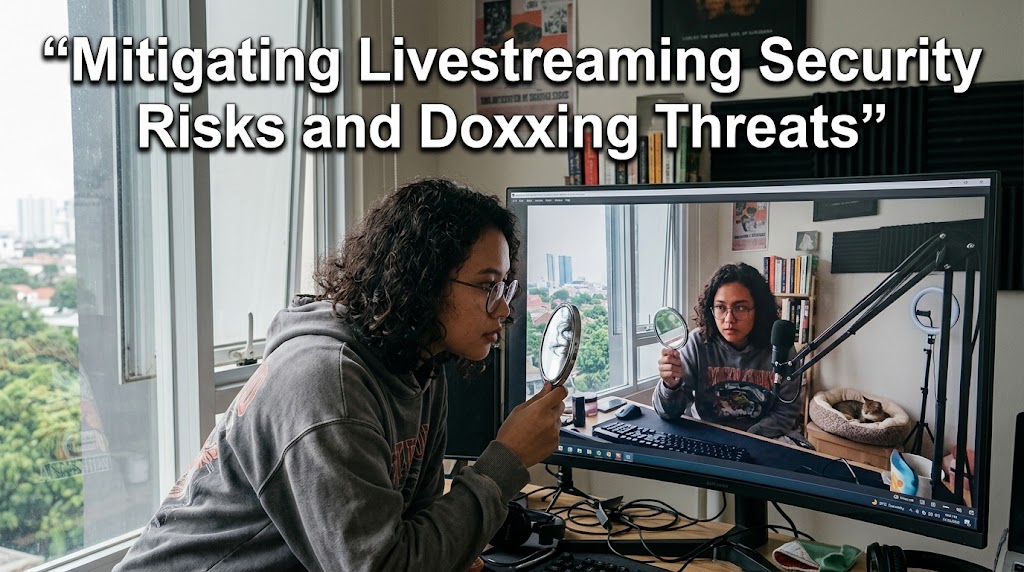
A camera reflection can reveal a street sign. A delivery box can expose a surname. A casual room tour can quietly give away an address. In the worst cases, stolen details have been turned into false emergency reports, sending armed police to a creator’s home while they are live on camera. The FBI describes swatting as a serious crime with potentially deadly consequences. That is why livestreaming security risks should be treated as a protection protocol before the camera ever goes live.
The good news is that most of the strongest defenses aren’t exotic. They come down to reducing what strangers can learn, separating your public identity from your private life, and preparing for the moment something goes wrong.
1. Livestreaming Security Risks Start With Your Digital Footprint

Your biggest leak may not be your IP address. It may be everything you casually show.
The FBI specifically warns that seemingly harmless photos and videos can be collected and manipulated by malicious actors to build invasive profiles.
The Camera Reflection Problem
Before streaming, inspect:
- glasses and glossy screens
- windows and mirrors
- street signs outside
- mail and delivery labels
- school or workplace documents
- calendars and family photos
- distinctive buildings visible through windows
A reflection doesn’t need to reveal your full address. One small clue can be combined with another.
Digital Footprint Is A Puzzle
Your username might lead to an old social account. That account might reveal a birthday. Another post could reveal your neighborhood.
Together, those fragments create a surprisingly accurate profile.
For better doxxing prevention, search your own name, usernames, email addresses and publicly visible images before someone else does.
Separate The Creator From The Person
A practical creator setup uses different identities for different purposes:
- Public creator email
- Private personal email
- Separate business contact details
- Different usernames where practical
- No public home address
- No personal phone number in public profiles
This isn’t paranoia. It’s compartmentalization.
Your digital footprint should make it difficult to connect your public persona to your physical location.
2. Doxxing Prevention, IP Masking And The Digital Fortress
Once the visible clues are cleaned up, look at the network layer.
An IP address can reveal approximate geographic information, although it normally doesn’t provide a precise home address by itself. For creators who face targeted harassment, ip masking can add another layer between the streaming setup and the public internet.
A VPN can route traffic through another server, but choosing the right setup matters.
VPN Software Or Hardware?
A software VPN protects traffic from the device where it runs.
A router-level VPN can protect multiple devices on the network, which can be useful when a creator has:
- streaming PC
- gaming console
- smart TV
- secondary laptop
- smart-home equipment
But don’t treat a VPN as an invisibility cloak. Accounts, browser fingerprints, leaked usernames, location clues and social engineering can still identify you.
Creator Safety Needs Account Security Too
The FBI recommends strong, unique passwords and multi-factor authentication across accounts and connected smart devices.
For a creator, the minimum setup should include:
- unique passwords stored in a password manager
- MFA on the streaming account
- MFA on the primary email
- MFA on social accounts
- updated operating systems
- updated streaming software
- secured home Wi-Fi
- separate smart-home credentials
This matters because attackers don’t always need your IP.
Compromising an email account can become the master key to everything else.
Don’t Forget Smart Cameras
The FBI has documented swatting cases where attackers compromised smart devices, including cameras and speakers, then used them while law enforcement responded to the victim’s home.
So if your camera, doorbell or smart speaker connects to the internet, secure it like a computer.
Change default credentials. Enable MFA where available. Update firmware. Remove devices you no longer use.
That’s basic doxxing prevention, but it can prevent a much bigger problem later.
For creators researching other livestream hazards, this discussion of the risks around Jimmy Fallon clips in livestreaming is a useful reminder that livestream risk isn’t limited to copyright.
3. Swatting Response And Creator Safety When The Threat Becomes Physical
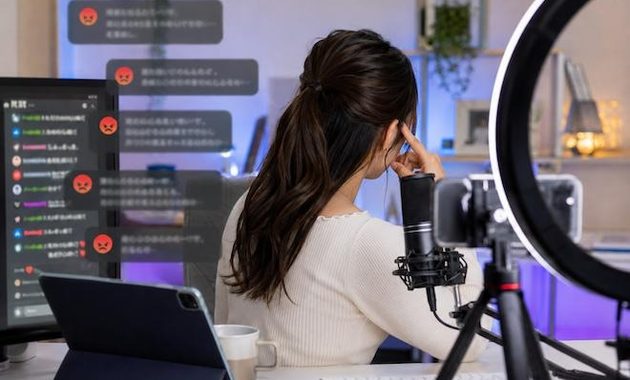
Swatting changes the equation completely.
The FBI defines it as using false emergency reports to trigger a major law-enforcement response against an unsuspecting target. Attackers may collect publicly available information first, then use spoofing or other methods to make the report appear credible.
This is where creator safety needs an offline plan.
Build A Swatting Plan Before You Need It
If you’re a large creator or have already received credible threats, consider contacting your local police department through its non-emergency channel.
Explain that you’re a public-facing creator and could potentially be targeted by a false emergency report.
Ask what identification or verification procedures may be available in your area.
Don’t assume every department has the same process. Local procedures vary.
Tell Your Household
Everyone living with you should know what to do if police suddenly arrive.
The FBI recommends discussing swatting with family members and having a plan for potential law-enforcement contact at the residence.
That conversation can cover:
- who contacts emergency services
- where family members should go
- who handles pets
- where important identification is kept
- who preserves evidence afterward
The goal isn’t to “fight” the response. It’s to avoid confusion.
If armed officers arrive, stay calm, keep your hands visible, and follow lawful instructions.
Preserve Evidence
If someone threatens to expose your address or swat you, don’t immediately delete everything.
Save:
- usernames
- profile URLs
- threatening messages
- screenshots
- timestamps
- emails
- relevant livestream recordings
The FBI specifically advises swatting victims to retain information connected to the attackers and report the incident to law enforcement.
The Final Digital Fortress Check
Before pressing Go Live, run this quick audit:
- Room: Can anything reveal my location?
- Identity: Can my public username connect to private accounts?
- Network: Is my streaming setup appropriately protected?
- Accounts: Is MFA enabled everywhere important?
- Devices: Are cameras, routers and smart devices updated?
- Emergency: Does my household know what to do during a swatting incident?
No security setup makes a creator completely invisible.
That’s not the goal.
The goal is to make the trail harder to follow, reduce the information available to attackers, and have a plan ready before a digital problem becomes a physical one.


Yun Seo-jun worked in online reputation monitoring for entertainment companies and consumer brands. His role involved tracking viral live moments, identifying misleading clips, documenting audience reactions, and preparing reports during digital controversies. He now writes about viral livestream cases, responsible content sharing, creator accountability, audience manipulation, and the ethical questions that often appear when a live broadcast spreads beyond its original audience.